

I’m pleased to announce WooCommerce 1.3 for WP User Manager 🎉
This is a big release for anyone who takes payment at registration. Members who pay are marked as paid and sent back to the registration form again on recent versions of WooCommerce, the addon now works with WooCommerce’s order tables, and the Subscribe tab and Restrict by Subscription do what they say. If you run a paid membership site on WooCommerce, please update.
Let’s get into it.
Payment at Registration, Fixed
The WooCommerce addon lets a registration form sell a product: the member fills in the form, pays on the next step, and is registered once the payment goes through.
WooCommerce 8.4 changed how its order received page works, and block themes show their own version of that page. Together they broke the last part of the flow: after paying, members saw WooCommerce’s order page (or were asked to log in) instead of returning to the registration form, and they weren’t marked as paid.
With 1.3, WooCommerce sends the member back to the registration form’s Complete step, which shows their order. If the form logs members in after registration, they’re logged in there too.
We’ve also tightened what counts as paid. A member is marked as paid once WooCommerce counts the order as paid, which means Processing or Completed. Orders that wait On hold, such as cheque or bank transfer, count once you mark them as processing.
To take payment on a form, go to Users > Registration Forms, edit the form and open its Settings tab. Pick a Registration Product, or turn on Allow Product Selection to offer several:
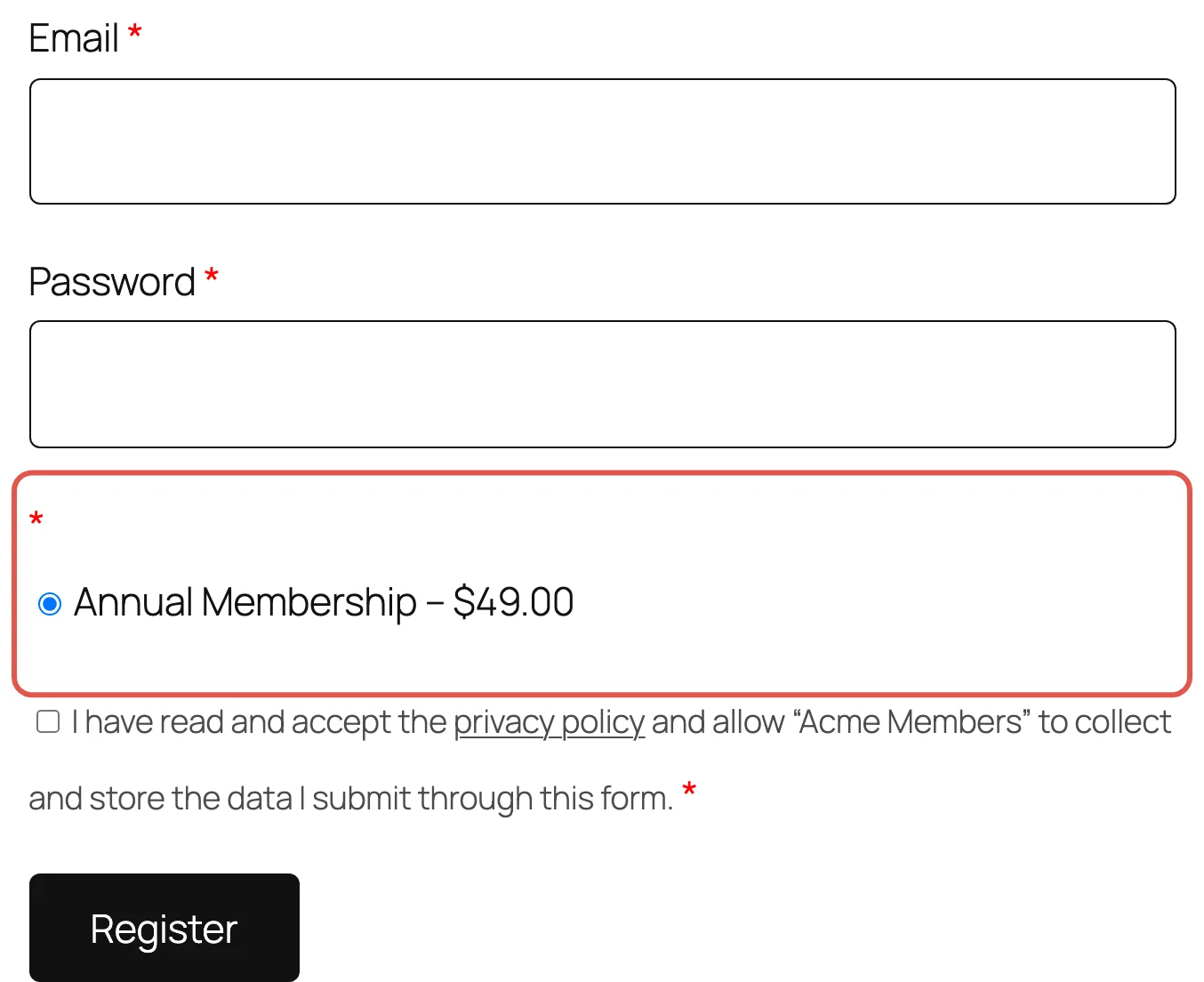
See How to collect payment for a user at registration for the full setup.
Ready for WooCommerce’s Order Tables (HPOS)
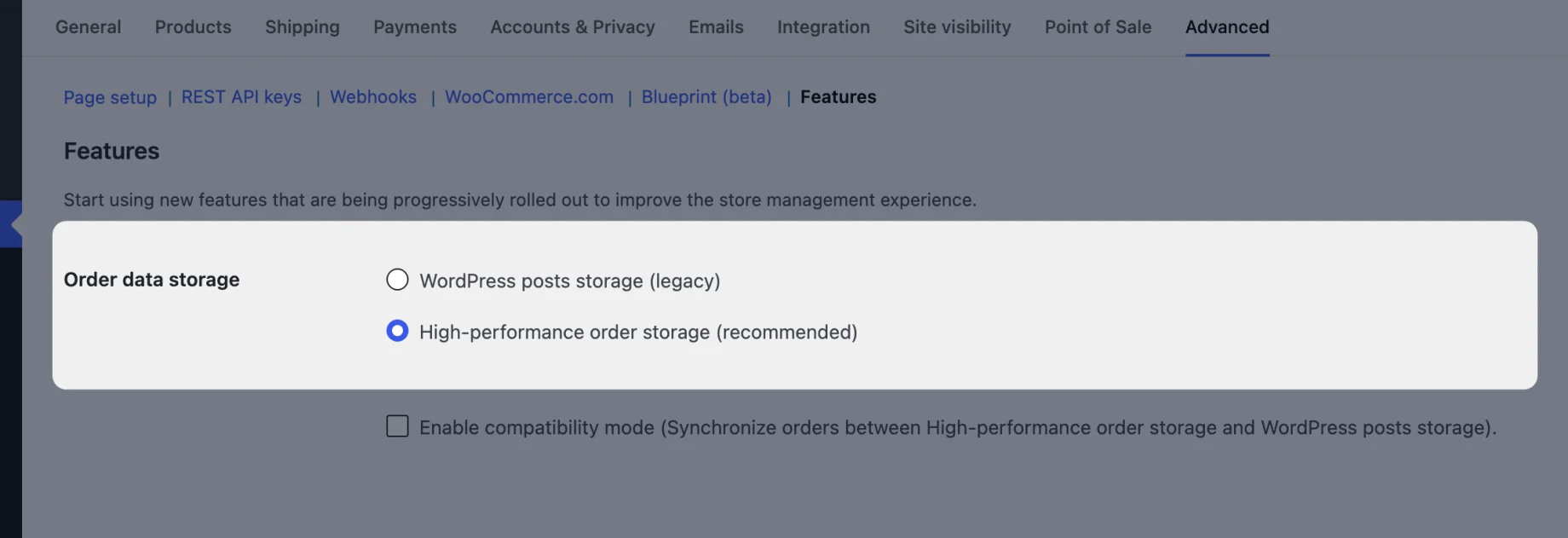
High-Performance Order Storage keeps WooCommerce orders in their own database tables, and it’s the default for new stores. Until now the addon didn’t declare support for it, so WooCommerce listed it as incompatible, and one of you asked us when that would change.
The addon now reads orders through WooCommerce’s own order functions, so the Orders tab, profile purchases and payment at registration work with either storage. You’ll see it under WooCommerce > Settings > Advanced > Features, with no compatibility warning for WPUM WooCommerce:
Pay Later from the Subscribe Tab
A member who registers but doesn’t finish paying can come back and pay from the Subscribe tab on their account page. A customer let us know this was broken: choosing a product there and clicking Purchase led to a blank payment page.
In 1.3 the Subscribe tab takes members to the payment form, and it offers the products from the registration form they signed up with, not the default form. Cancelling a payment at the payment gateway now returns them to the payment step too, instead of a fixed /account/subscribe address that might not exist on your site.

Restrict by Subscription for Visitors, Categories and Tags
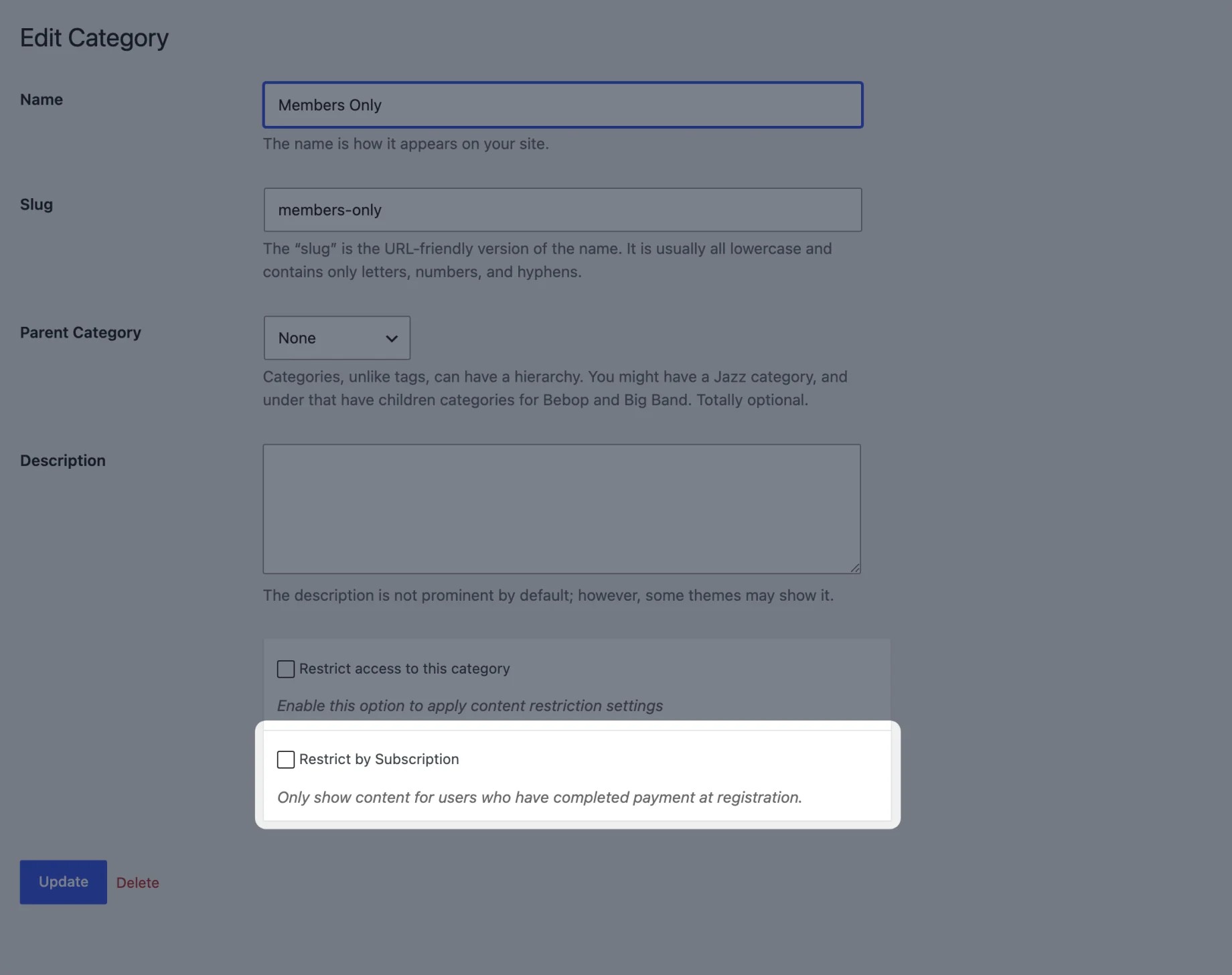
With the Content Restriction addon, the WooCommerce addon adds a Restrict by Subscription checkbox to the WP User Manager – Content Restriction box, so only members who’ve paid at registration can see a post or page.
It had two gaps. Logged-out visitors could still see restricted content, and the checkbox did nothing on categories and tags. Both are fixed: visitors are restricted, and you can tick it when editing a category or tag under Posts > Categories or Posts > Tags.
And More
This release includes security fixes, so please update. The Product Purchases and Product Reviews profile tabs now show the member’s purchases and reviews rather than the visitor’s, View on the Orders tab opens the order, a deleted product no longer breaks a registration form, and reloading the payment step no longer fails with “Sorry, that username already exists!”. We also added an automated test suite that covers the whole addon. See the full changelog for everything in 1.3.
Next Up
What do you want from the WooCommerce addon next? Discounts for members? Products only members can buy? Let us know in the comments.
Get WooCommerce 1.3
If you already have the addon, update it from the Plugins screen in your dashboard. WooCommerce is a paid addon: get it on its own from the WooCommerce addon page, or as part of the Agency and Pro bundles on the pricing page. It works with the free WP User Manager plugin.

Get Started with the Best WordPress Membership Plugin Today
Connect, Manage and Build your Membership Site