

I’m pleased to announce a big update to the Groups addon for WP User Manager 🎉
Groups 1.3 lets you invite people to a group, makes hidden groups properly invitation-only, and gives site admins better tools for managing members from the dashboard. If you run a membership site with clubs, teams or member-only circles, this one’s for you.
Let’s get into it.
Invite People to a Group
Until now, the only ways into a group were to join it yourself or to be added by a site admin. There was nothing in between: no way to invite someone and let them choose to join.
With Groups 1.3, an invited person gets an email with a link, and they become a member when they follow it. If they’re logged out, they log in first and then join. The link only works for the person it was sent to, and it expires after a week.
Group admins of a hidden group can invite people from the group’s Members tab, by username or email address, and see who hasn’t accepted yet:
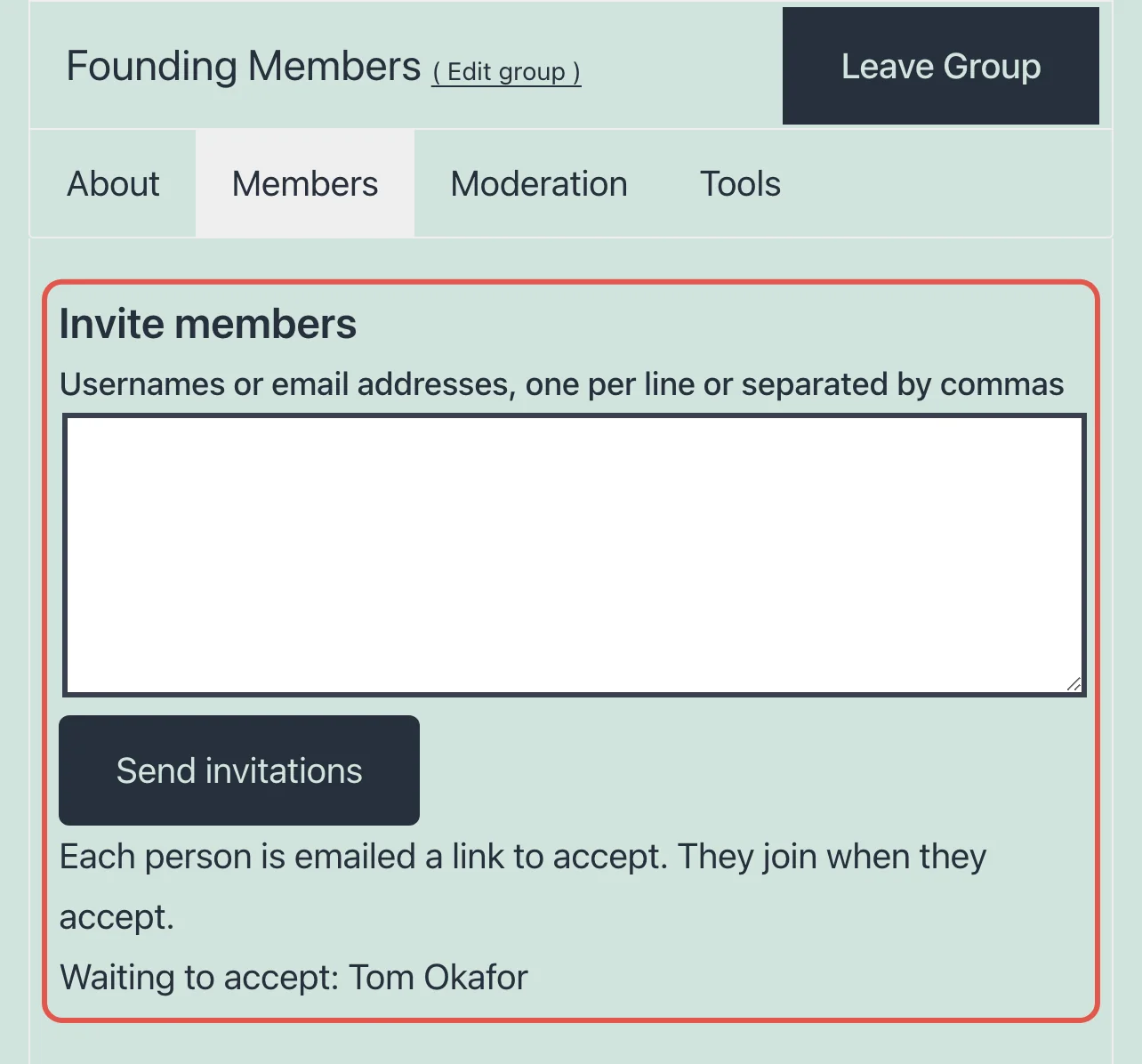
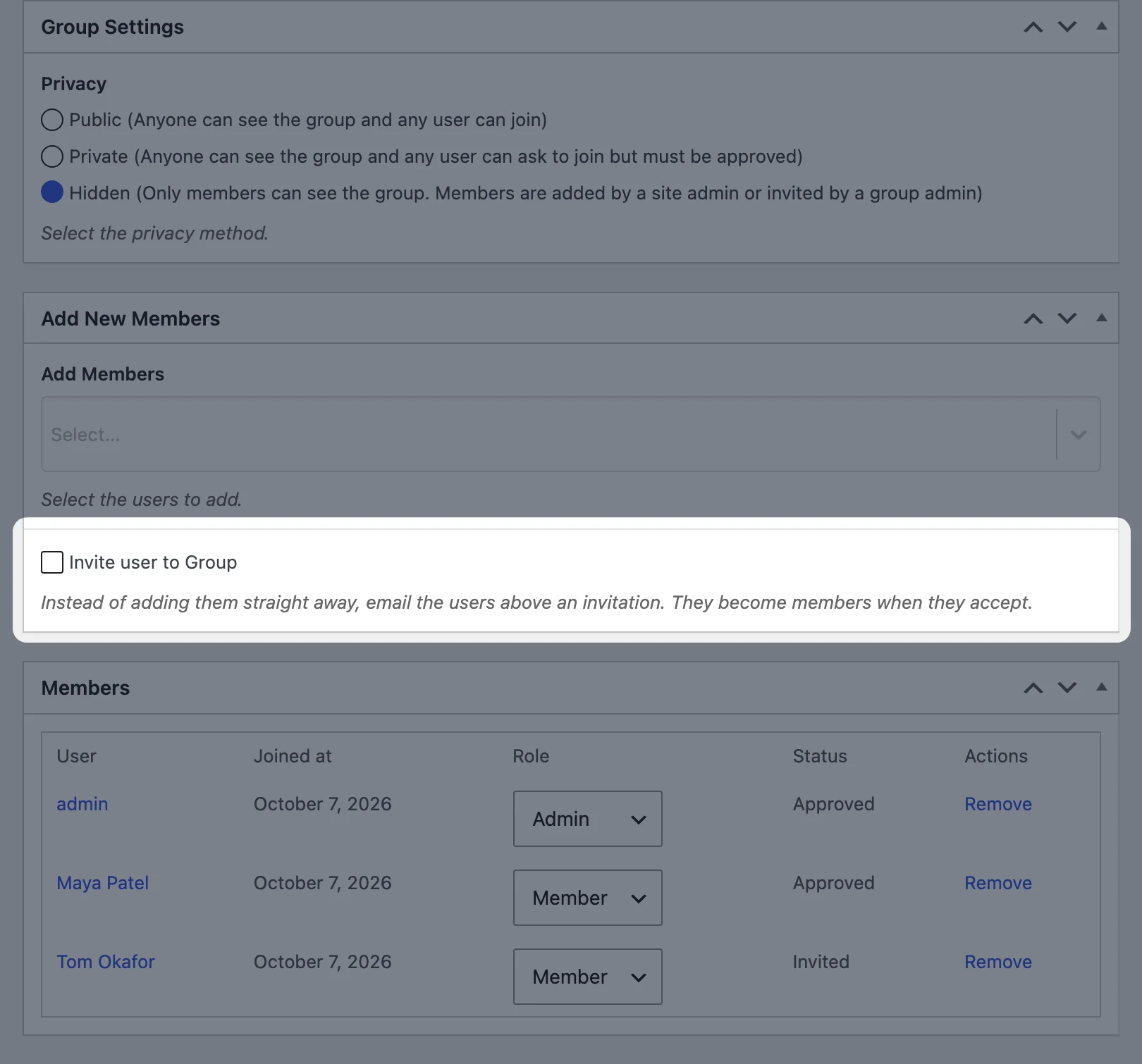
Site admins can invite from the dashboard too: from the group editor, by ticking Invite user to Group under Add Members, or from a user’s profile with the new Invite to group option. The invitation email is yours to edit under Users > Emails > Group invited.
Read more in Inviting members to a group.
Hidden Groups That Stay Hidden
Hidden groups are for the circles you don’t advertise: founding members, a committee, a paid mastermind. Only their members can see them, and they never appear in the group directory.
Invitations are what make them work. Instead of a site admin adding everyone by hand, a group admin invites people and they join when they’re ready. You’ll find the privacy setting when editing a group under User Groups:
Manage Members from the Dashboard
Groups 1.3 adds a Groups section to each user’s profile in the dashboard, listing the groups they’re in. It sits alongside the member tools that are already there, and which we’ve now documented properly:
- add several users to a group at once from the Users screen, with the Add to Group dropdown
- change a member’s role (Member, Moderator or Admin), approve or reject requests to join, and remove members, when editing the group
- export a group’s members as a CSV file from the group’s Tools tab
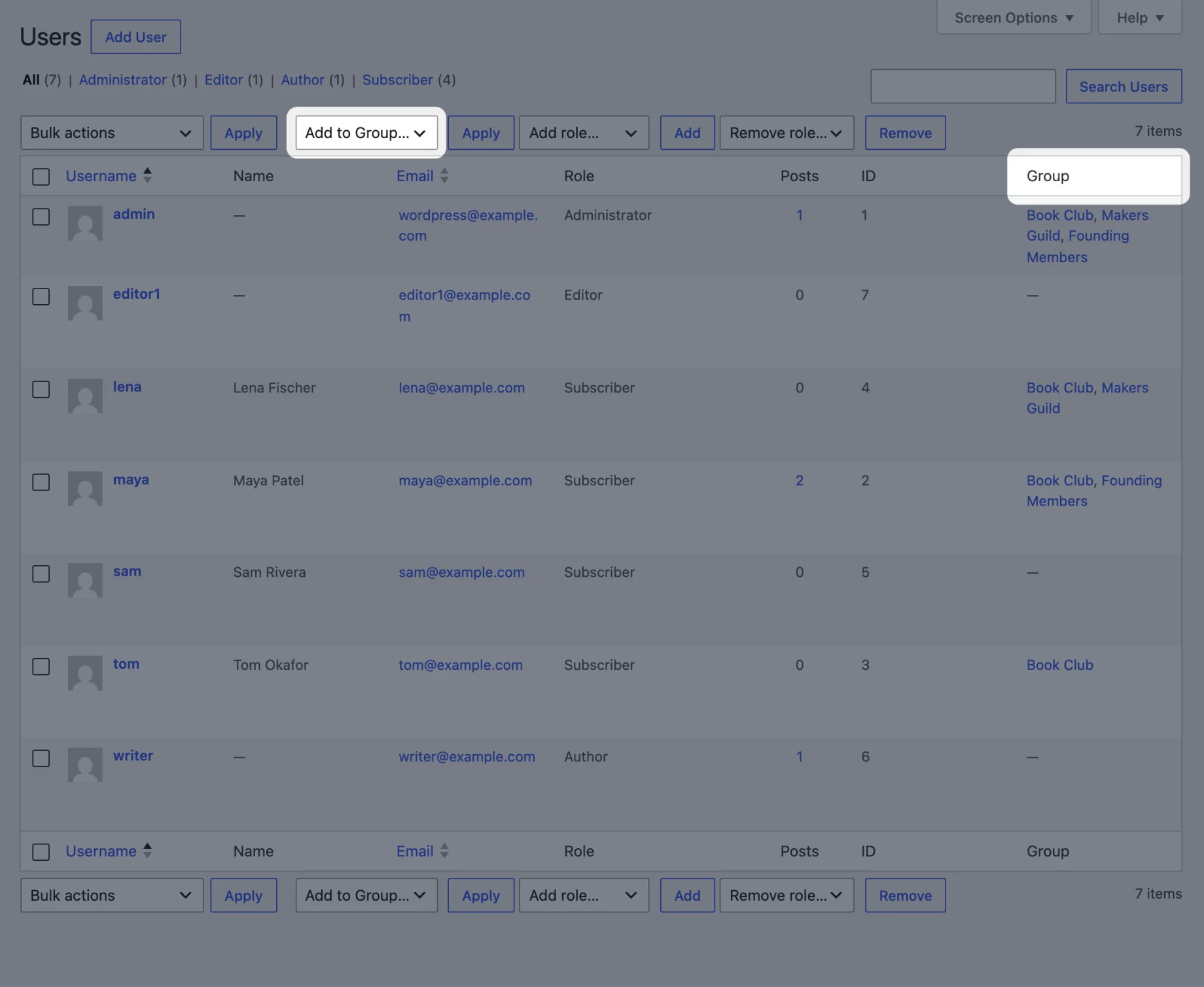
See Managing group members for the details.
And More
This release includes security fixes, so please update. The group directory’s category and tag filters now work, errors on the front-end group form show next to the form, and we’ve fixed a number of smaller bugs. We also added an automated test suite that covers every feature of the addon. See the full changelog for everything in 1.3.
The Groups documentation has been rewritten for this release, with three new guides, including Restricting content to group members.
Next Up
We’d love to hear what you want from groups next. Group messages? A member limit per group? Something else entirely? Let us know in the comments.
Get Groups 1.3
If you already have the addon, update it from the Plugins screen in your dashboard. Groups is a paid addon: get it on its own from the Groups addon page, or as part of the Agency and Pro bundles on the pricing page. It works with the free WP User Manager plugin.

Get Started with the Best WordPress Membership Plugin Today
Connect, Manage and Build your Membership Site