
When someone asks to join a private group, they’re added as pending. They aren’t a member until a group moderator or admin approves them. (Public groups don’t need approval. Hidden groups can’t be joined by asking: people are added or invited.)
Group roles
- Admin: can edit the group, remove members, export the member list, invite people to hidden groups, and approve or reject requests.
- Moderator: can approve or reject requests.
- Member: a member of the group.
When someone asks to join
The group’s moderators and admins are emailed. Edit that email under Users > Emails > New Group pending member; the {group_approval_url} tag links to the group’s Moderation tab.
Approving or rejecting on the group page
Moderators and admins see a Moderation tab on the group page (nobody else does). It lists everyone waiting, with Approve and Reject links.
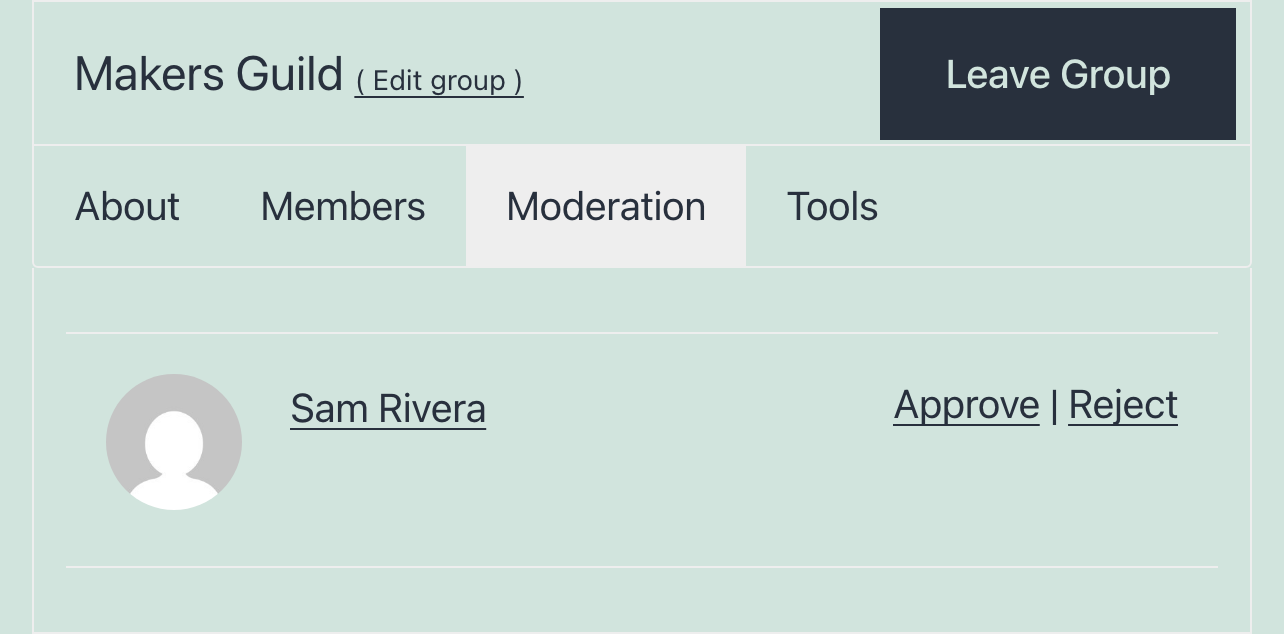
The person is emailed either way. Edit those emails under Users > Emails > Group membership approved and Group membership rejected.
Moderators can only approve or reject members of groups they moderate.
Approving or rejecting in the dashboard
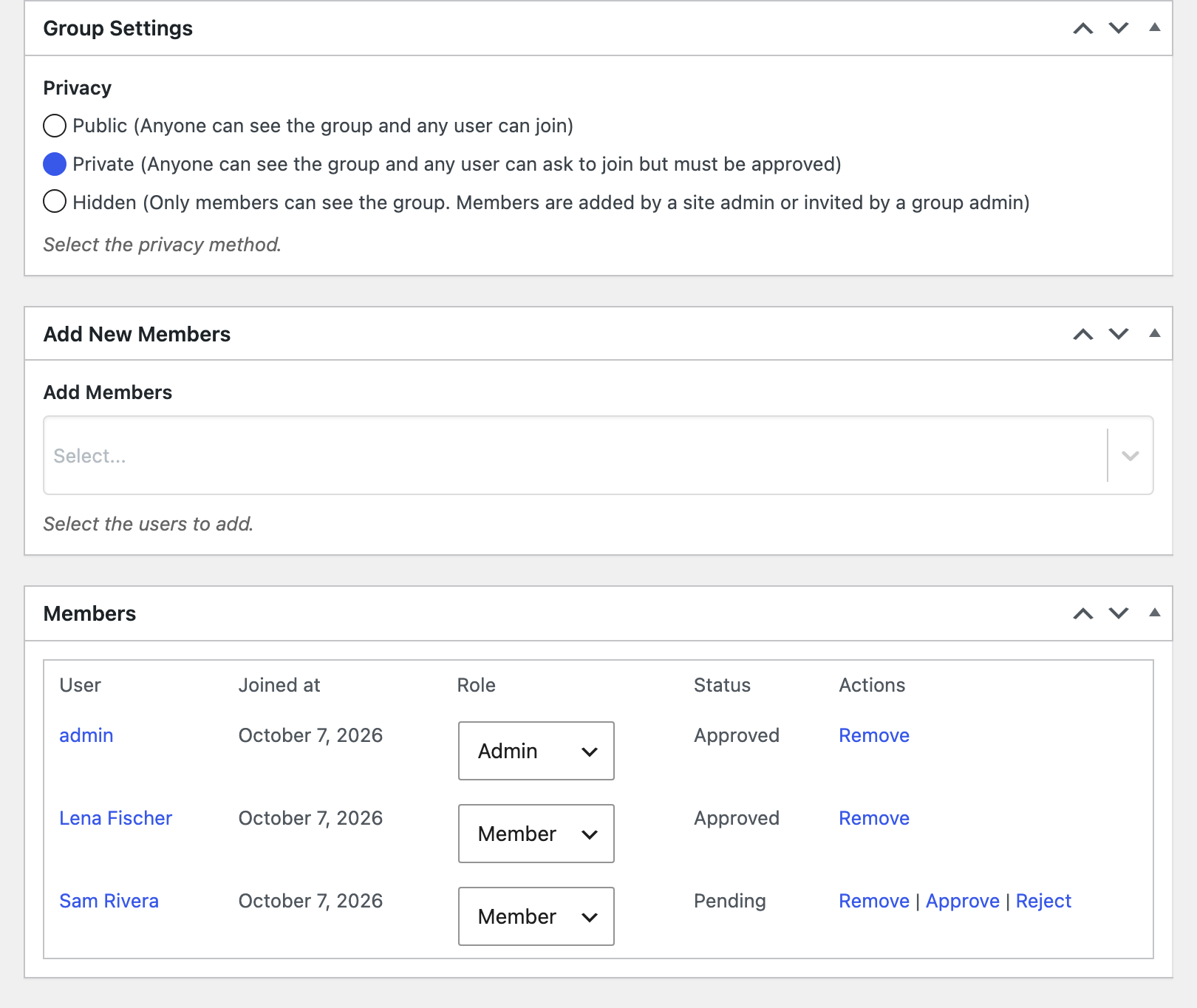
Site admins can do the same when editing the group under User Groups: pending members in the Members box have Approve and Reject links. See Managing group members.
For developers
The wpum_group_admin_email_pending_member filter turns off the email to moderators (return false).

Get Started with the Best WordPress Membership Plugin Today
Connect, Manage and Build your Membership Site