
Show a directory of your groups anywhere with the [wpum_group_directory] shortcode. It lists public and private groups; hidden groups are never listed.
Shortcode options
per_page: how many groups to show per page, with pagination for the rest. Default 10.has_search_form: show the search form and filters. Defaulttrue.show_public: include public groups. Defaulttrue.show_private: include private groups. Defaulttrue.
For example, a directory of private groups only, 20 per page:
[wpum_group_directory per_page="20" show_public="false"]
In the classic editor, the WPUM shortcode button has a Group Directory option that builds the shortcode for you.

What visitors see
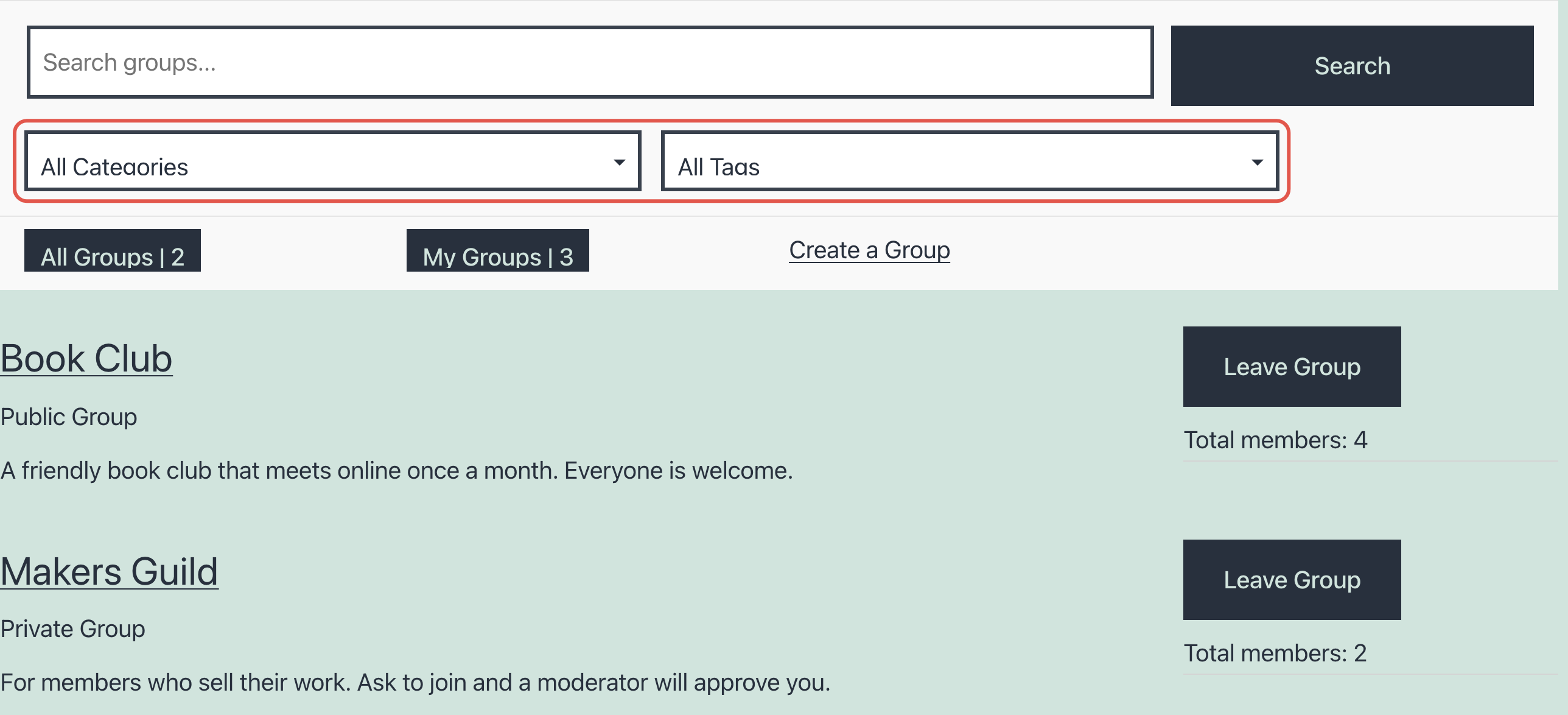
- Search by group name, and filter by category and tag.
- Each group’s privacy, number of members, and a Join or Leave button for logged-in users.
- Logged-in users also get All Groups and My Groups buttons with counts, to switch between every group and the ones they’re in.
- Users who can create groups get a Create a Group link.

Get Started with the Best WordPress Membership Plugin Today
Connect, Manage and Build your Membership Site